- Home
- Getting started
- Participate
- Grants
- Experts
- Roles & access rights
- 2FA
- IT Releases
- Additional information
EU Funding & Tenders Portal
F&T Portal IT How To
IT How To
- Skip to main content
- assistive.skiplink.to.breadcrumbs
- assistive.skiplink.to.header.menu
- assistive.skiplink.to.action.menu
- assistive.skiplink.to.quick.search
Work as an expert
Manage your contract and your payments
Monitoring projects (Technical review)
Table of contents
Related pages
Online Manual
FAQ
Work as an expert
The European Commission appoints independent experts to assist with assignments including the evaluation of proposals, the monitoring of actions, and the preparation, implementation or evaluation of programmes, and design of policies.
What information is necessary to work as an expert?
In the My Expert Area, the EU has simplified profile validation for users. There is less mandatory information and efforts have been made to avoid introducing the same information twice.
You have the possibility to delegate administrative tasks such as profile completion, drafting of your request for payment. The submission of the data profile remains your responsibility.
Data Privacy
By default your profile is visible to all EU institutions and bodies including the European Commission, Executive and Regulatory Agencies, Joint Undertakings (and related programmes).
Experts area dashboard
The Experts Area Dashboard gives the expert an overview of all information, and allows easy access to their profile, contracts, payments and tasks.
Please note that for optimal performance and compatibility while accessing My expert Area, we recommend using the latest versions of widely supported browsers such as Google Chrome or Mozilla Firefox. These browsers are regularly updated to ensure seamless integration with our platforms. If you encounter any issues, please consider switching to one of these recommended browsers as a potential solution.
- On the left-hand side there is a menu allowing you to directly access the main areas of the Expert Registration, Contracting and Payment functionalities.

- Below the Welcome banner, the Active Tasks panel displays a list of tasks you need to perform. Click the task and you will be taken to the relevant area of the system to complete that task.

- Below the Active Tasks panel, two panels are displayed: Contracts and Invitation and Payments. Clicking either will take you to the relevant section. These panels display how many contracts, invitations and payments you have and the status of each.

- Below the Contracts and Invitations and Payments panels, there is a Profile panel with icons providing access to all aspects of your profile.
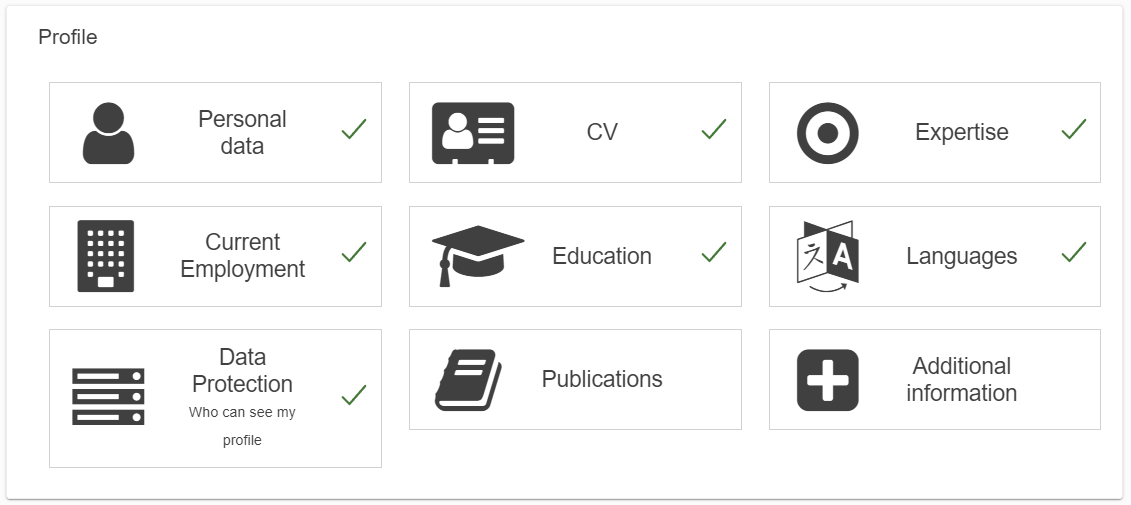
- If the profile information has been provided you will see a green tick next to that section, if you still need to fill in the information there will be a red cross
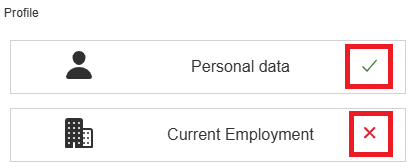
- When all the obligatory fields within a section of your profile are completed a green tick will appear next to it.

- Contextual help for each section has been made available in the upper right hand side of the screen. By clicking on the information icon a new screen will open, containing a step by step guidance for that specific page.

- There is a counter located at the top right-hand side of the screen telling you how complete your profile is, and if necessary encouraging you to update and add to it to increase your chances of being selected as an EU expert.

- Once all the mandatory information is completed, it will say your profile is 100% complete. Be aware that only experts with a 100% complete profile are contracted.

- Below this indication, there is a Delegations link on the right-hand side of the screen which takes you to the Funding & Tenders Portal page where you can delegate specific tasks to another person, such as an assistant, who can perform those delegated actions on your behalf.

Managing delegations
To delegate profile creation to another person, proceed as follows:
- Click the Delegations link.

The Expert profile page appears in the Funding and Tenders Portal.

- Scroll down to the My delegations section, then click the Delegate Profile button.

- Enter the details for your delegate. Then click Submit.

Your delegate appears in the list.

In the right hand column, you can see anyone who has selected you as a delegate.
To revoke delegations that you have given or received, click the relevant Revoke button.

To work on behalf of a user who has delegated you to do so, click the Access profile button.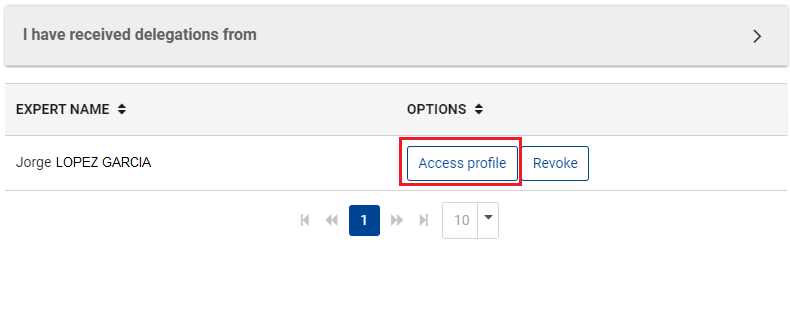
{"serverDuration": 115, "requestCorrelationId": "9e5ca47b9953ae53"}